
After submitting your Kyrgyzstan e-Visa application, waiting for an outcome can feel like the hardest part. The good news is that tracking your visa status takes less than a minute through the official online portal. This guide walks you through every available method, explains what each status means, and covers what to do next once you receive a decision.
How to Check Your Kyrgyzstan e-Visa Status Online
The Government of Kyrgyzstan provides a dedicated status-checking tool on the official e-Visa portal. Here is exactly how it works.
Step-by-Step Guide
- Go to the official status page. Visit evisa.e-gov.kg/check_status.php. Make sure you are on the official
.gov.kgdomain to avoid phishing sites. - Select your application type. Choose between “e-VISA” or “VISA” depending on which type you applied for.
- Enter your Application Reference Number. This is a unique code assigned when you submitted your application. You received it by email and it also appears on your confirmation page.
- Enter your Passport Number. The passport number you used during application must match exactly.
- Complete any security verification. A CAPTCHA may appear to confirm you are not a bot.
- Click “Check Status.” The system will display your current application status immediately.
If you forget your reference number, check the confirmation email sent by the e-Visa portal. The subject line usually contains your application ID.
What You Need Before Checking
Before heading to the status page, gather these items:
- Application Reference Number – alphanumeric code from your submission confirmation
- Passport Number – the exact passport used in the application
- Access to your email – to retrieve the reference number if you lost it
You do not need to create an account to check status. The system uses a simple lookup by reference number and passport.
Understanding Your e-Visa Status
When you check your application, the system returns one of several statuses. Here is what each one means.
| Status | Meaning | What to Do |
|---|---|---|
| Pending | Your application is still being processed. | Wait and check again in 1-3 business days. |
| Approved | Your e-Visa has been granted. | Download and print the e-Visa document. |
| Rejected | Your application was denied. | Review the reason and consider reapplying with corrected documents. |
| Under Review | Additional scrutiny required. | Wait – processing takes longer but most are eventually approved. |
| Insufficient Documents | Supporting documents are incomplete. | Log into the portal and upload the missing documents. |
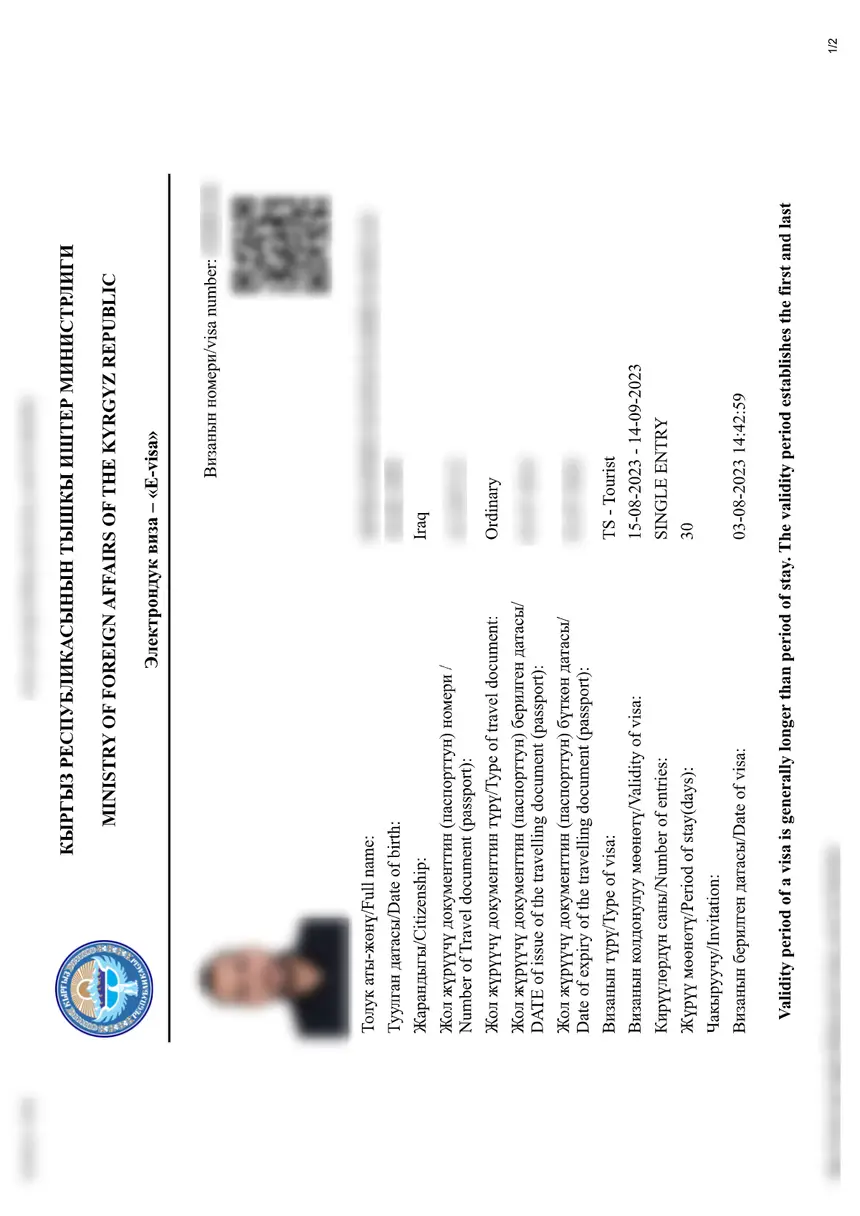
Once your visa is approved, you can download the e-Visa as a PDF directly from the portal. Print at least two copies – one for your carry-on luggage and one as a backup at your accommodation in Kyrgyzstan.
How Long Does Processing Take?
Standard e-Visa processing typically takes 3 to 5 business days from the date of submission. However, timelines vary depending on several factors:
| Processing Time | Description |
|---|---|
| Standard | 3-5 business days – most common |
| Extended Review | Up to 10 business days – occurs during peak travel seasons or if your application triggers additional checks |
| Expedited (Speed Up) | Available on the portal for an additional fee – reduces wait to 1-3 business days |
Peak travel periods in Kyrgyzstan include late May through September. If you apply during this window, start your application at least two weeks before your departure date to avoid stress.
For a full breakdown of processing times by visa type, see our guide on Kyrgyzstan visa processing time.
Methods to Check Your e-Visa Status
Beyond the official portal, a few alternative approaches exist for checking your application.
Official Portal (Recommended)
The most reliable and secure method. Always start here.
URL: evisa.e-gov.kg/check_status.php
Email Inquiry
If the portal is down or your status shows “Pending” for more than 10 business days, contact the e-Visa support team via email. Include your full name, passport number, and application reference number in the message.
Third-Party Tracking Services
Several visa service websites offer status tracking tools. These can be convenient but they pull data from the same official system. Examples include:
- JsdBiz Visa Manager
- MasterFast Visas Tracker
Always verify final results directly on the official portal to ensure accuracy.
QR Code Check
Some approval emails include a QR code that links directly to your visa status. Scanning this code with your phone camera opens the status page with your details pre-filled.
What to Do If Your Visa Is Rejected
A visa rejection is frustrating but not the end of the road. Here is how to handle it.
- Read the rejection reason carefully. The portal usually provides a brief explanation for the denial.
- Common rejection reasons include:
- Passport validity less than 6 months from entry date
- Blurry or non-compliant passport scan or photo
- Incomplete application form – missing fields or incorrect information
- Insufficient proof of accommodation or return ticket
- Correct the issue and reapply. You can submit a new application immediately. There is no waiting period.
- Prepare stronger supporting documents if your rejection was for insufficient documentation.
For more detailed guidance, see our article on Kyrgyzstan visa rejection reasons and solutions.
Tips for a Smooth Status Check
- Screenshot your confirmation page when you first apply – the reference number is easy to lose.
- Use the same device and browser you used when applying, in case the confirmation page is cached.
- Check spam folders for approval or update emails from the e-Visa portal.
- Do not apply twice thinking your first application was lost – duplicate applications can cause delays.
- Keep your passport details accurate. A single typo in the passport number will cause “no match found” errors when checking status.
Frequently Asked Questions
How to check visa status for Kyrgyzstan?
Visit the official portal at evisa.e-gov.kg/check_status.php, enter your Application Reference Number and Passport Number, then click “Check Status.” Your result appears instantly.
How do I check my visa status online?
Go to the e-Visa portal’s status page, select your visa type (e-Visa or regular visa), fill in your reference number and passport details, and submit. No login or account is needed.
How will I check my visa status?
You check using your Application Reference Number – the code assigned when you submitted your form. It was emailed to you. Enter it at evisa.e-gov.kg/check_status.php along with your passport number.
Do US citizens need a visa for Kyrgyzstan?
U.S. citizens can enter Kyrgyzstan visa-free for up to 60 days. However, if you plan to stay longer or have a specific purpose of travel (business, work, study), you will need to apply for the appropriate visa. See our guide on Kyrgyzstan visa for US citizens for details.
Can I check my Kyrgyzstan visa by passport number only?
No. The official portal requires both your Application Reference Number and your Passport Number. The passport number alone is not sufficient to retrieve your application status.
What should I do if my status shows “Pending” for more than 10 days?
Extended processing can happen during peak travel seasons. If your status has been “Pending” for more than 10 business days, contact the e-Visa support team by email or consider using the “Speed Up” feature available on the official portal for an additional fee.
Is my e-Visa valid immediately after approval?
Yes. Once your status shows “Approved,” your e-Visa is active. Download the PDF, print it, and carry it with your passport when traveling. The visa is valid for the dates specified in your application.
Can I check my Kyrgyzstan work visa status the same way?
Yes. The same portal at evisa.e-gov.kg handles all electronic visa types – tourist, business, work, transit, and others. The status check process is identical regardless of visa type.